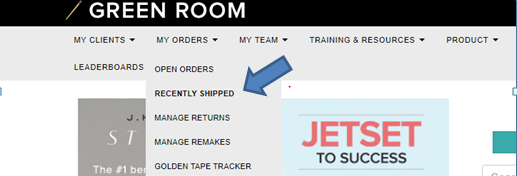
If you are processing a return, and you or your Client cannot find the email containing the return shipping label, you can access it again under the “Manage Return” section in the Green Room.
- Log in to the Green Room.
- Hover your mouse over “My Orders”.
- Select “Manage Returns” from the drop down menu. This brings you to any orders you have submitted for a return.
- Locate the desired return, and select “Reprint Label” from the far right column.
- You can print the label or copy and paste it into an email to send to your Client.