Tag: Email

  • The J.Hilburn Experience

    Sharing The J.Hilburn Experience just got easier! We’re excited to have partnered with a committee of Stylist to develop an exciting video tool. This tool will help you communicate what you do to potential Stylists and New Clients.

    This is an innovative approach using whiteboard animation, to help viewers absorb detailed content. We are very happy to present to you, The J.Hilburn Experience:

    Q&A:

    Q: Who is this video tool for?

    A: This video tool was made for both, New and Existing Stylists to use in marketing their J.Hilburn business. It is a great sales tool to support the digital direction of J.Hilburn.

    Q: Who should I share this video tool with?

    A: New Referrals, Existing Clients, and Potential Stylist

    1. Received a referral? Share this video tool as a part of your first communication with a new contact as an invitation for a first appointment.
    2. Asking for a referral after your appointment? Use this video tool as part of your Thank You follow-up you send within the first 48 hours after an appointment.
    3. Have a Client who loves you? Send them the video tool along with detailed information about our Give/Get Referral Program.
    4. Chatting with a Potential Stylist? Use this video tool as a way to follow up after a conversation with a Potential Stylist.

    Scripts and Tips

    Below are a few script examples for you to use when sharing this video tool:

    Contacting a new referral:

    Sample Text Message: Hi {REFERRAL}! I’m {CLIENT}’s Personal Stylist, and he suggested I share The J.Hilburn Experience with you. Check out this short video that tells a little about what I do! {Video Link} Does tomorrow {MORNING/AFTERNOON/EVENING} work best for you for a quick chat?

    Sample Email:

    Hi, {REFERRAL}!

    I’m {CLIENT’S} Personal Stylist, and he recently suggested I share what I do with you. Here’s a quick 2-minute video about how J.Hilburn is made to fit you!

    {Video Link}

    I would love to schedule some time to meet with you next week, does {Tuesday or Thursday afternoon} work best for you?

    {Closing/Signature}

    When closing DO use something like the example provided to give the person an option to choose rather than an opportunity to say no. DO NOT close with a question that can be a hard NO, i.e,. Would you like to schedule an appointment?

    Following up with a potential Stylist:

    Sample Text Message:  {POTENTIAL STYLIST}, I’m excited you want to learn more about becoming a Personal Stylist. Check out this short video, The J.Hilburn Experience (video link) that shows what I do. I’ll give you a call in a few minutes to hear what you think! 

    Sample Email

    Hi {POTENTIAL STYLIST},

    I am excited you want to learn more about becoming a Personal Stylist! I want to share a quick video with you that explains what makes being a Personal Stylist here at J.Hilburn unique. 

    {Video Link}

    I would love to schedule some time next week to chat, does {Tuesday or Thursday afternoon} work best for you?

    {Closing/Signature}

    Asking for referrals after a first appointment:

    Sample Text Message: Thank you {CLIENT}, it was great helping you find your fit! Now, I would love it if you spread the word. Here’s a video that explains what I do. Just send it out with my info, and there’s something in it for you too.

    Sample Email

    {CLIENT}, it was great meeting with you and helping you build your custom-made wardrobe.

    I am always looking to grow my business, and your help would be great! Below is a link to a short video that tells more about what I do, you can simply share this with a friend, along with my contact information below and I can take care of the rest! 

    We have a great referral program that gives your friend a discount on his first purchase, and you will get J.Hilburn Credit to use on anything you like.

    {Closing/Signature}

    Sample Social Media Post

    Want to know more about what I do as a Personal Stylist? Check out The J.Hilburn Experience video!

    Because one size doesn’t fit all…discover The J.Hilburn Experience.

    A better fit and great style are just a few things I bring to the table. Watch The J.Hilburn Experience to learn more.

    Want a Personal Stylist? Check out The J.Hilburn Experience 

    Put style in your back pocket with The J.Hilburn Experience!

    Suggested Hashtags:

    #TheJHilburnExperience

    #JHilburnMensCollection

    #PersonalStylist

    #CustomMensWear

    #CustomMadeClothing

    #StylingMenofJH

    #WhatsYourFit

    #DiscoverTheDifference

    Here are links to use in sharing/viewing the video tool:
  • How To: Resubscribe to Stylist Communications

    If you are no longer receiving email updates from the Corporate Team (including but not limited to Marketing Message of the Week and/or Weekly Update), please find the below instructions on how to adjust your subscription settings. 

    It’s likely that you’ve unsubscribed from our Corporate Update emails.

    To begin receiving these emails again, you’ll need to resubscribe. Please follow the steps below.

    1. Go to your J.Hilburn Inbox via the Green Room, and find the last email you received. Try searching for messages from marketing@jhilburn.com or communications@jhilburn.com. A Weekly Update, Spotlight, or Marketing Message of the Week should do the trick!

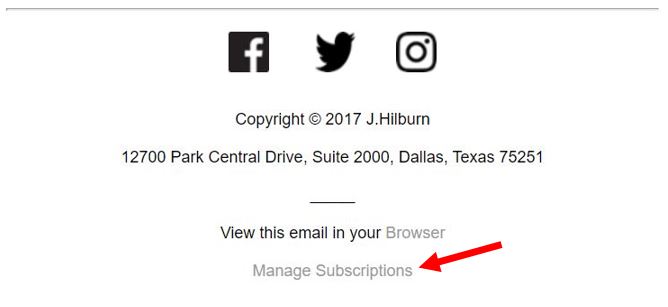
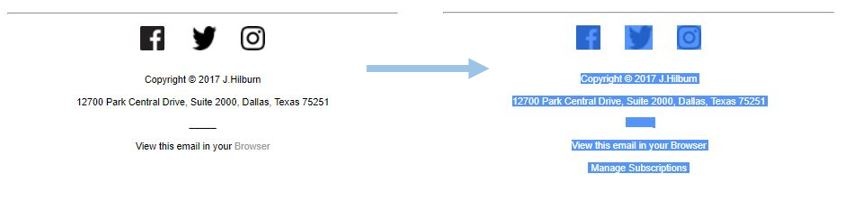
    2. Once you have opened the email, scroll down to the bottom. At the bottom of every Stylist Communication, you have the option to manage your subscription settings. Click the “Manage Subscriptions” link.


    (more…)

  • How to: Craft Your Email Signature

    At this time, we suggest a simple email signature as the best option. Not all email inboxes support imagery in signatures which can result in distorting the image quality, making the image an attachment, or the image shows up as a red “x” or not at all. We are continually assessing this issue in the industry and any technological advances for a proper solution we are confident in.
    (more…)

  • How To: Set up your J.Hilburn Email Account on a Mobile Device

    Are you setting up your J.Hilburn email account on your phone, tablet, or another mail application? Follow these simple steps!

    1. Please follow this Email Set-Up Wizard to help setup your email and better manage your account.
    2. Log in using your Green Room Login credentials – your J.Hilburn email address and password.
    3. Click “Set Up My Email”.
    4. Click on the device you would like to set up, either computer/phone/tablet/other.

    If you still have questions regarding setting up your J.Hilburn email account, please contact stylistcare@jhilburn.com.