Tag: Winter Event 2025

  • The 2025-2026 Winter Event: Toolkit & FAQ

     The Winter Event is an annual seasonal Client engagement event designed to offer Clients compelling prices of up to 50% off. The Winter Event kicks off on Friday, December 26th, with the Private Event, which lasts until Friday, January 2nd. The Public Event launches on January 3rd and continues through the end of the Winter Event on Saturday, January 31st. 

    Winter Event Promotional Offers:

    Select Custom Suiting, Shirts, Knits, Pants, and Outerwear up to 50% off


    Winter Event Key Dates:

    Private Event: Friday, December 26, 2025 – Friday, January 2, 2026

    Public Event: Saturday, January 3, 2026 – Saturday, January 31, 2026

    Dates for 75% CV: Friday, December 26, 2025 – Friday, January 9, 2026

    Dates for 50% CV: Saturday, January 10, 2026 – Saturday, January 31, 2026


    You can maximize your earnings during the first two weeks of the Event (from Friday, December 26th – Friday, January 9th) when CV will be at 75%. We will shift to 50% CV on Saturday, January 10th, through the end of the Event on Saturday, January 31st.

     The Private Event

    What You Need to Know:

    1.  Private Event Dates: Friday, December 26 – Friday, January 2.
    2. All categories will be 75% CV on Event items.
    3. Event prices will be visible on JHilburn.com. Event items are merchandised in the Sale section only. 
    4. Client awareness of the Private Event is Stylist-led: No marketing emails will be sent during the Private Event.
    5. Stylists should reach out via social media, text, and email to make their Clients aware of the Private Event.

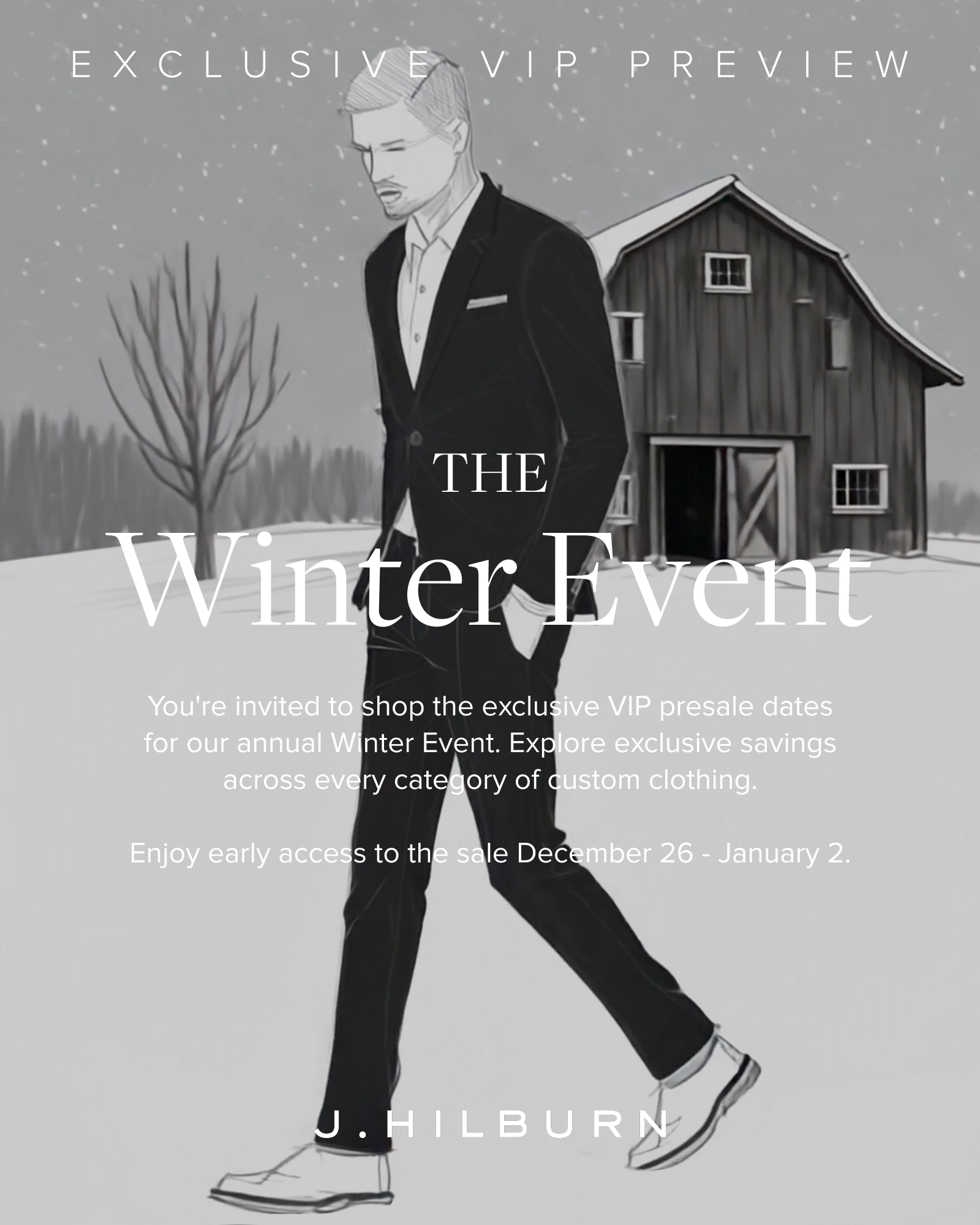
    Download these shareable images to promote the Private Event:

    • Click the images below to expand. Then, right-click on the image / Tap-hold the image –  A window will open, and you will click “Save Image.” The image will be saved in the folder you select or your Downloads folder.
    • Additional Winter Event images and video assets can be found in the Winter Event Dropbox.

    The Public Event

    What You Need to Know:

    1. The Public Event begins on Saturday, January 3.
    2. CV is at 75% on sale items through January 9. 
    3. Client marketing will begin on January 3 for all Clients subscribed to email.
    4. The homepage will reflect the Winter Event
    5. CV will transition to 50% on sale items on Saturday, January 10. 
    6. The last day of the Winter Event is Saturday, January 31.

    Download shareable images to promote the Private Event:

    • Click the image below to expand. Then, right-click on the image / Tap-hold the image –  A window will open, and you will click “Save Image.” The image will be saved in the folder you select or your Downloads folder.
    • Additional Public Winter Event images and video assets can be found in the Winter Event Dropbox.


    Winter Event Details:

    THE WINTER EVENT — PRODUCTS

    • The products included in the Winter Event will be from the Spring/Summer 2025 Collection and older. We may offer a limited number of Essential fabrics. 
    • All Winter Event products will be available on your PURL under the “Sale” category.

    THE WINTER EVENT — FABRIC SWATCHES

    • A list of all fabric swatches and Ready-to-Wear items included in the Winter Event is available below.  
    • You will have fabric swatches for some of the Winter Event products, but most likely not for all, since this event includes swatches from previous seasons. 

    THE WINTER EVENT — QUANTITIES AND TIMING

    • Winter Event products are limited in quantity. Start selling as soon as possible once the Event launches for the best selection. Enter your orders when you take them. Do not wait, as supply may run out.  
    • Do not build orders for the Winter Event in advance of December 26, 2025. Event prices will only be reflected on orders built after the official start date.

    THE WINTER EVENT — REACHING CLIENTS

    • You should reach out to your Clients during the Private Event period to make them aware of the Winter Event.  J.Hilburn will not promote the Winter Event to Clients via marketing emails or social media during the Private Event period.
    • Starting Saturday, January 3, the Company will email all subscribed Clients to announce the Winter Event. 


    BEST PRACTICES & TIPS  

    • Double-check your work. Measure twice!
    • Verify fit and measurements for Clients who have not ordered in over 1 year.  
    • You want to set the expectation with your Clients that some fabrics may sell out.  
    • Eliminate old fit profiles to minimize any mistakes. 
    • Suggest that Clients send their orders to you, versus checking out themselves, so you can review their order for accuracy. 
    • Use the favorites section of .com to work with your Clients virtually.
    • Identify your Clients who like to take advantage of our “sale” events and send them a text to notify them that the Private Event has begun. 

    STRATEGIES 

    • Have an upsell item/strategy.  This is a great time to use add-on items: belts, socks, scarves, etc., to build your order value.   
    • Including full-priced items in Client orders will increase your earnings.  Use a blended approach by adding full-price items to the style board you suggest for them.  These blended style boards encourage them to “buy the look.”  
    • Take this opportunity to show them how to extend their wardrobe. Example:  2 pants, 2 shirts & 2 knits will mix & match to create X number of looks. 
    • If you are a New Stylist, build a list of 25 potential Clients to reach out to. Think of guys who might be more price-sensitive.
    • On the day the Private Event launches, TEXT your Clients first thing in the morning: “Hi XXX, my Private Winter Event launches today.  As one of my VIP Clients, I wanted to offer it to you first.  It runs from December 26–January 2 and is up to 40% off.  Do you want in??  Let me know ASAP so I can get you the details.” 
    • A few days later, send another text to those who haven’t responded:  “Hi XXX, I didn’t want you to miss out.  The Winter Event goes public on Saturday.  Do you want in before the word is out to everyone?  I can help you via text, email, Zoom, or style boards.” 
    • Make it easy for your Clients. If you have time, put some things in your Clients’ favorites (both sale and full-price) and send them a link to their closet.

    Get the List of SKUs for the Winter Event:

    Please make sure to continue checking the SKU list daily for the most up-to-date fabric availability. As the Winter Event progresses, certain fabrics will be removed from the list as they sell out. Checking the list daily ensures you always have the most current selection to present to your Clients. We also recommend that you access the Event SKUs through this link only and avoid saving a separate copy of the list. This will ensure you’re always viewing the most accurate and updated version of the list.

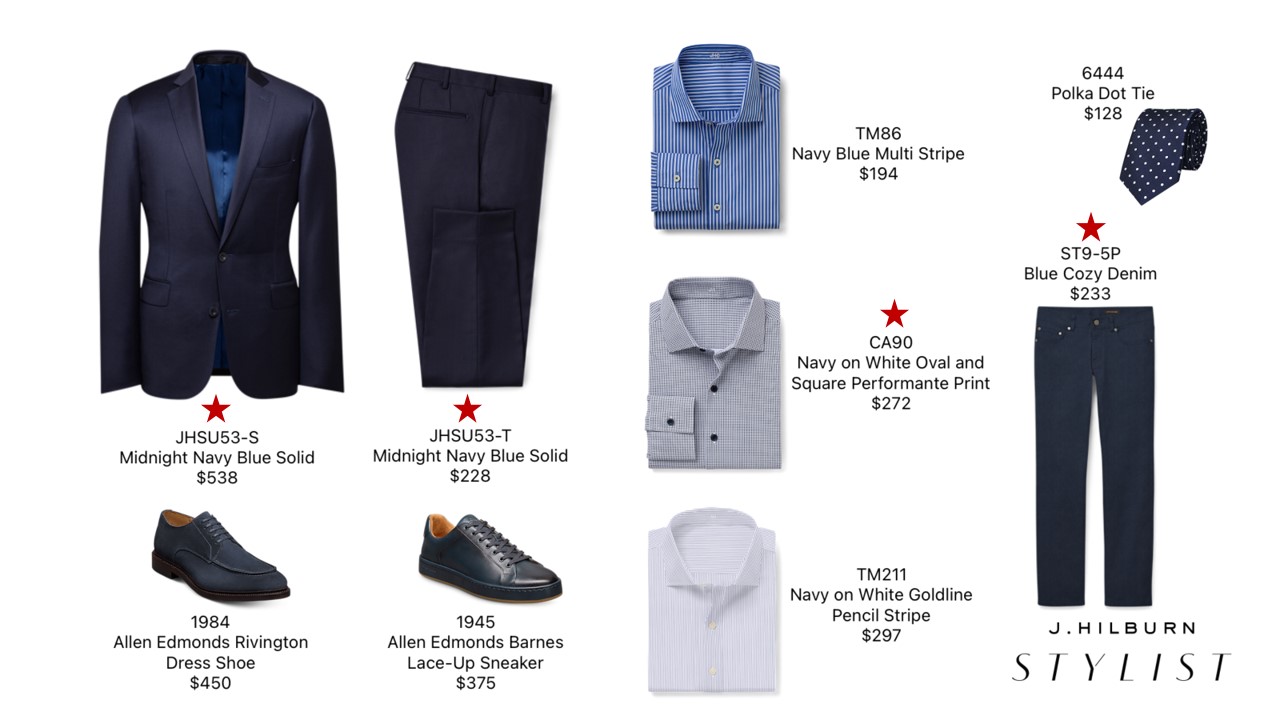
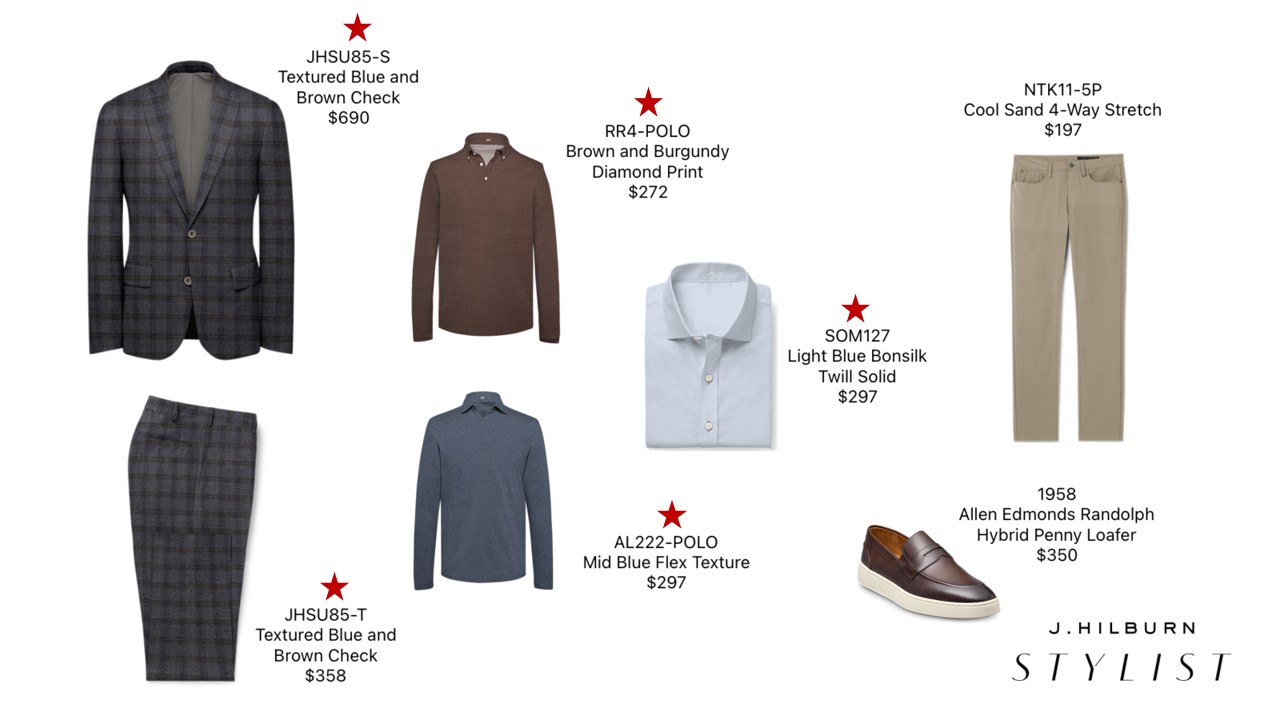
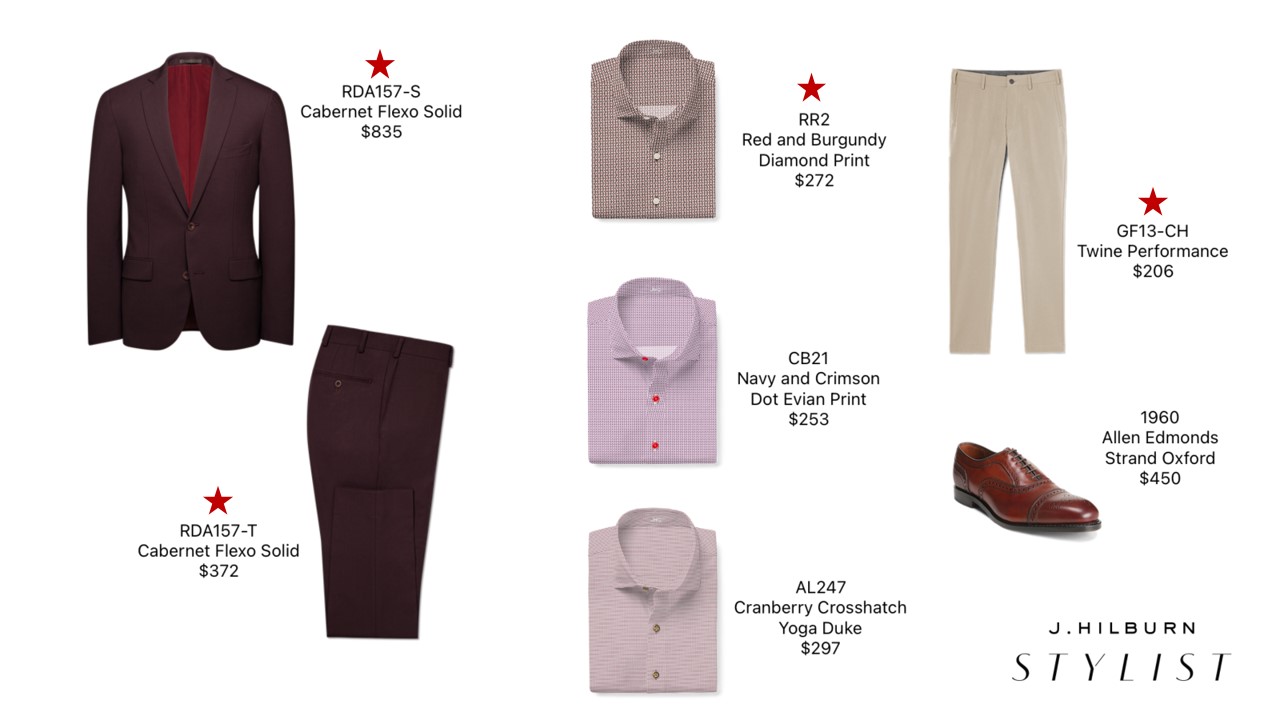
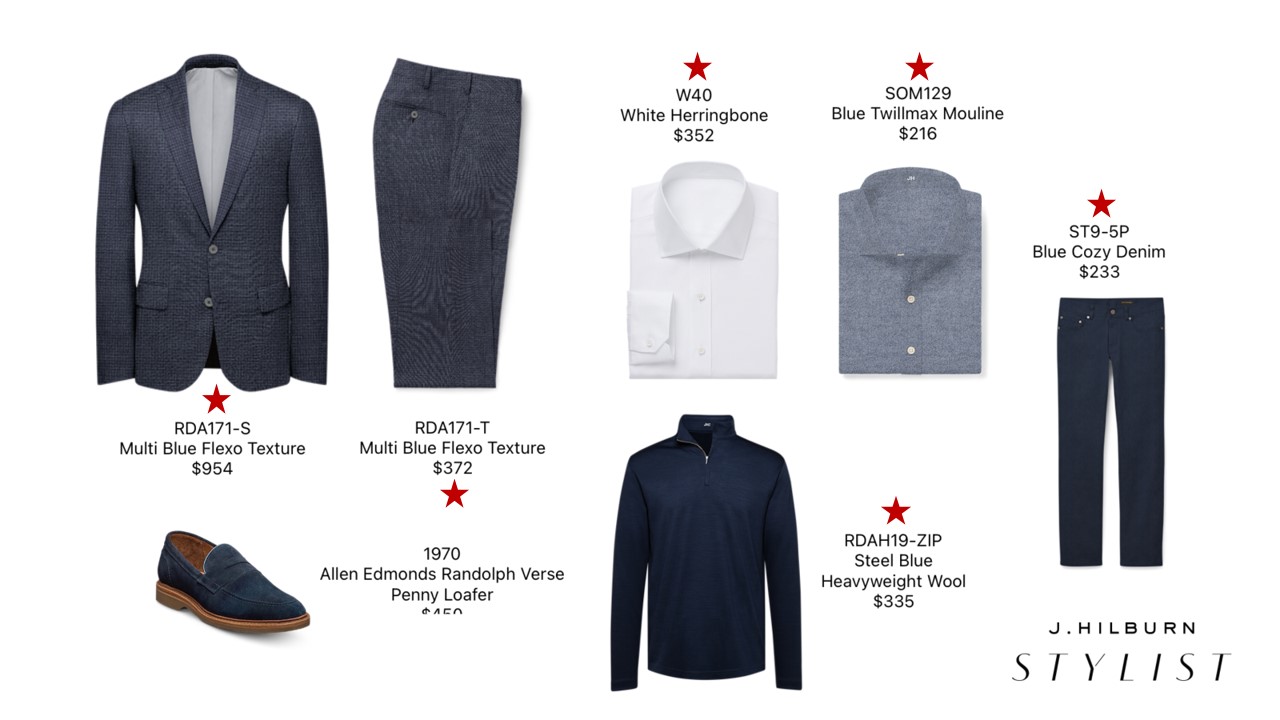
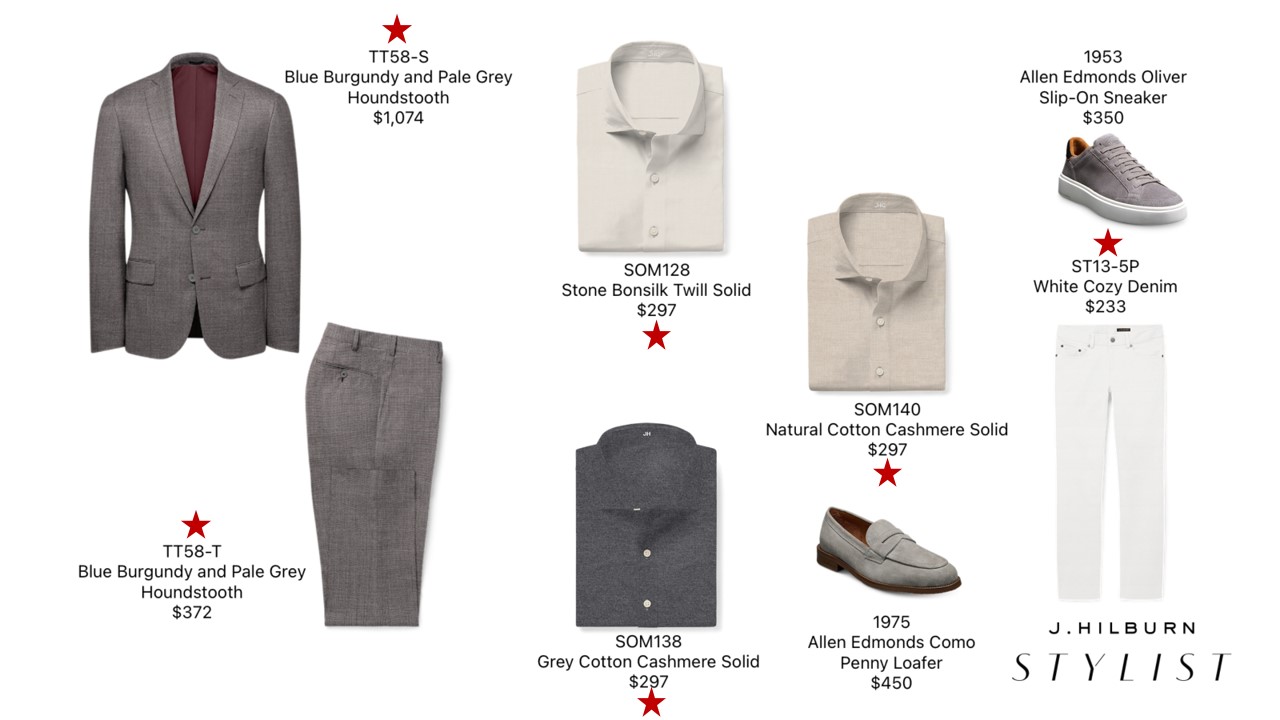
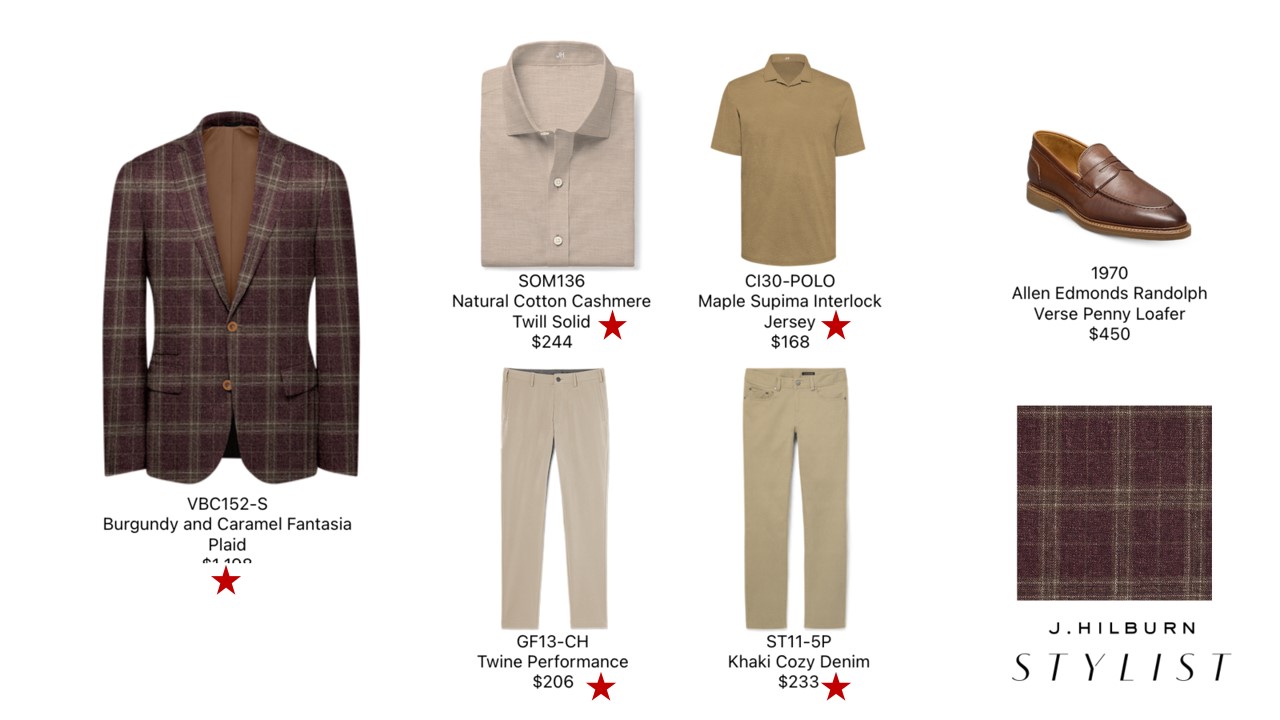
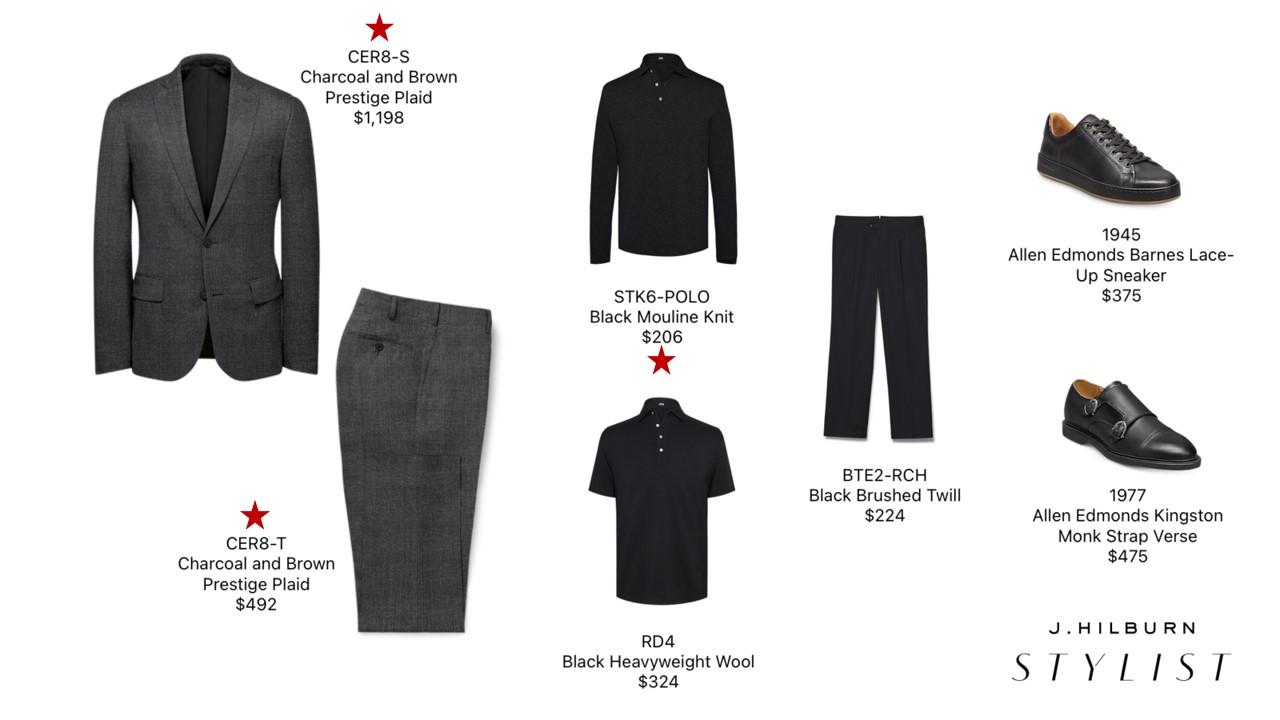
    Winter Event Styleboards

    Feel free to utilize the provided styleboards to share the Winter Event with your Clients. These boards provide a mix of both full-price and special-price products. The star icon indicates the items that are at a reduced price during the Winter Event.

    Click the image to expand. Then, right-click on the image / Tap-hold the image –  A window will open, and you will click “Save Image.” The image will be saved in the folder you select or your Downloads folder.

    FAQs

    The event starts on Friday, December 26th.

    The Winter Event will end on January 31, 2026. On that date, the sale page will be removed from jhilburn.com, and the Event product will no longer be available for purchase.

    You should contact your Clients when the Private Winter Event starts on December 26th. The Company will send a Client marketing email announcing the Public Event on Saturday, January 3rd. However, you can take orders beginning Friday, December 26th.

    No. The price discount is only available on the fabric itself. It does not apply to the styling or personalization options.

    No, we are unable to hold fabric for Clients.

    Please contact the Stylist Success Team for assistance.

    Reference your PURL to see the swatch and image of the products available in that fabric.

    Fabric inventory is available via the product listing in the Stylist App or the Fabric Inventory tab in Green Room.

    Your Client can order ALL product online, provided there is a confirmed fit profile for the category they are purchasing. Make sure to keep an eye out for Open Web Orders through the Stylist App/Green Room in case your Client sends their shopping bag to you for review. 

    Private Sale period (December 26th – January 2nd):

    All Categories PV (Personal Qualifying Volume) = 100% of the sale price
    All Sale Categories CV (Commissionable Volume) = 75% of the sale price.  

    Public Sale period (January 3rd  – January 9th):

    All Categories PV (Personal Qualifying Volume) = 100% of the sale price
    All Sale Categories CV (Commissionable Volume) = 75% of the sale price.  

    Public Sale period (January 10th – January 31st):

    All Categories PV (Personal Qualifying Volume) = 100% of the sale price
    All Sale Categories CV (Commissionable Volume) = 50% of the sale price.  

    Please Note: You are paid on your CV. Your PV dictates your payout percentage on the CV. Rank Advancement is based on your QV for all Rank Qualifications, plus 100% of your PV-Q counts towards TV and DV. Please reference the Sales and Leadership Plan for further questions regarding earnings.

    All sale products are available on your PURL, under the Sale category, and will not be displayed anywhere else on JHilburn.com. 

    The return policy is no different for sale items than it is for regularly priced products. We allow Clients to return or exchange items within ninety (90) days of the product delivery. However, because we are not replenishing the sale fabrics, remakes may not be possible because the fabric may be sold out. If your Client has an item that needs to be returned or exchanged, please contact the Stylist Success Team so they can help you find a similar fabric style.

    No. Event pricing is available only on purchases made during the Winter Event. 

    No. All suits are listed with separated SKUs for jackets and trousers.