We are THRILLED to announce the launch of our new Alteration Reimbursement Process, now LIVE in the Green Room!
Now these alterations can be recorded in the Client’s profile for reference on future orders. Please follow this easy step-by-step guide to learn how to submit an Alteration Reimbursement.
Click here to view our Alteration Reimbursement Policy.
HOW TO SUBMIT AN ALTERATION REIMBURSEMENT REQUEST
Step 1
Select the Client’s original order in the Green Room from the Client’s page from the Order History area.
Step 2
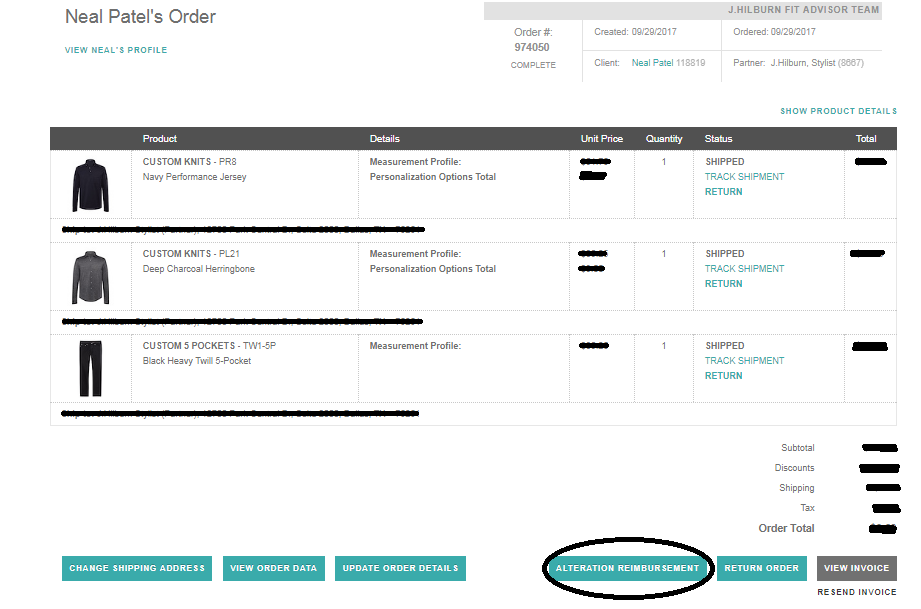
At the bottom of the order page, click “Alteration Reimbursement”.
Step 3
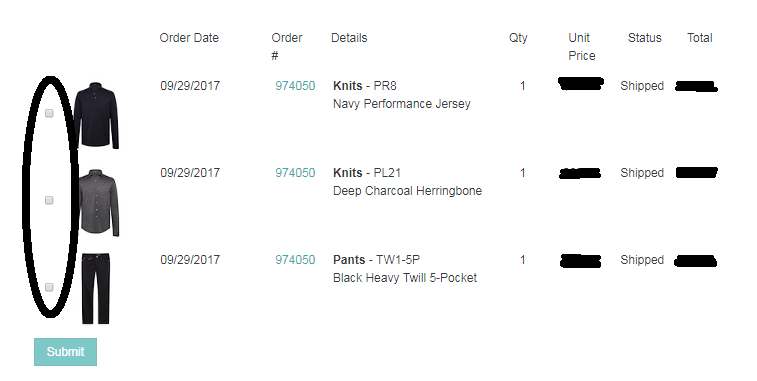
Select the item(s) that were altered for which you need to request reimbursement.
Step 4
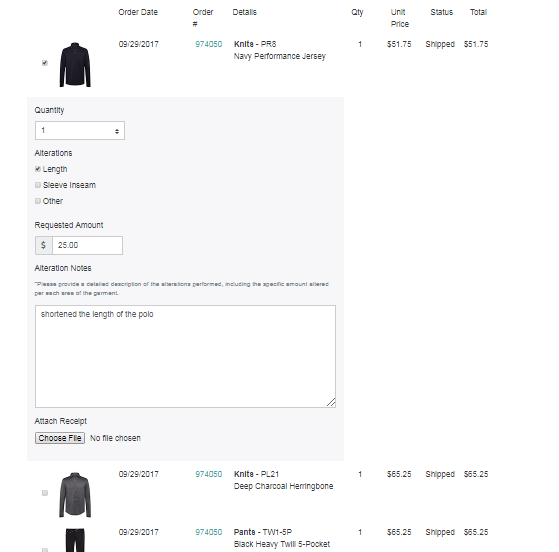
Select the specific alteration(s) performed and enter the requested reimbursement amount. Add notes if needed to clarify for the request.
Step 5
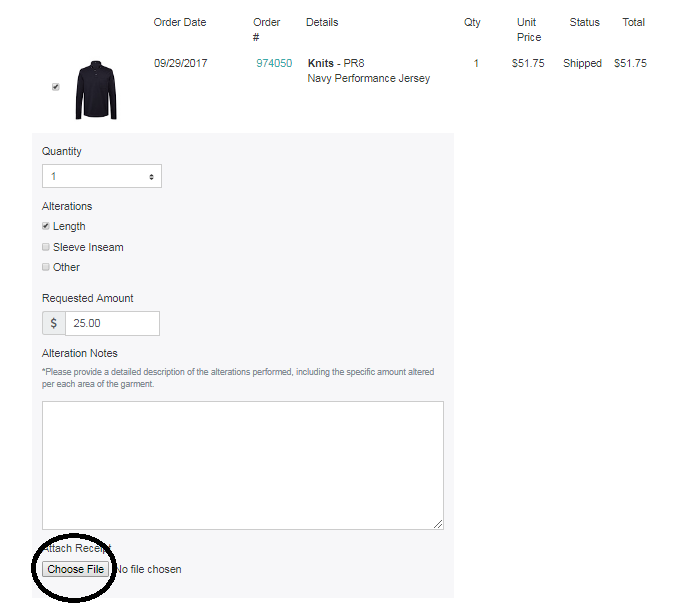
Attach the alteration receipt. Please upload the receipt under each line item.
Step 6
Click Submit!
You will receive a confirmation email explaining whether the alteration reimbursement request has been approved within 2 business days (Mon – Fri).