Author: Mary Moon

  • Tech Tuesday | Team Highlights, Stylist Scorecards, YoY Sales

    Are you looking for a clear snapshot of your team’s business? Want to know who on your team is selling like a rock star? Enjoy seeing how your business has progressed year-over-year by month?

    We made these improvements to your  Greenroom last year, and felt it was time to give you a reminder! Use these features to:

    • Track your team’s growth
    • Gain insight to your business

    Where is it located? 

    All three of these trackers can be found in the dropdown menu under the “My Team” tab on your Green Room home page:

    Let’s dive deeper into each report to better understand how you can use them  for your business! 

    This report is your go-to for visibility on who on your team is a top seller, and who could use a little encouragement. You can also see who has a birthday coming up, so you can easily remember to reach out and wish them “Happy Birthday!”

    2 – Stylist Scorecards

    See a snapshot of your business month-to-date, as well as the business of anyone in your Downline (down to level six!). This also lets you know if they’ve registered for Conference! 

    3 – Year over Year Sales

    This report shows your Team Volume, Downline Volume and each Stylist (down to level six) and breaks down Year over Year (YoY) growth by month.

    These reports will add visibility to your business, both personal and team leadership. Knowing where your business stands will help you set goals and track your status. These three reports are accessible from the Greenroom and are fantastic when viewing from your mobile device, making them your new best friend!

    TECH BONUS:

    You can view how close you are from achieving the next Career Title from your Greenroom homepage! Simply drop down the box, and choose the Career Title you wish to achieve. 

    Here’s what it looks like as a Style Associate who wants to become an Executive Partner: 

  • Tech Tuesday | Product Measurement Profiles

    What are Product Measurement Profiles? 

    Product Measurement Profiles are created for each Product Category that J.Hilburn offers. 

    • Shirts
    • Sportcoats
    • Trousers
    • Chinos/Shorts
    • 5-Pockets
    • Knits
    • Outerwear Coats
    • Outerwear Jackets/Vests
    • Suiting Vests 

    When your Client is shopping on .com, they can purchase on their own and select the Product Measurement Profile you helped create! Be mindful of naming your Client’s Product Measurement Profile. Name it something he will recognize! 

    For example, if your Client has a favorite fit for his Knits, name that Profile “Joe’s Favorite!” so he knows to to choose that Profile. 

    Already named the Product Measurement Profile? No worries! Here’s how to change it: 

    In the selected Client Profile, navigate to the Product Profile you’d like to change, expand it. and click edit

    You will be taken to this screen, where you then hit the edit button as shown here: 

    Finally, rename your Product Profile and hit save: 

  • How To: Resubscribe to Stylist Communications

    If you are no longer receiving email updates from the Corporate Team (including but not limited to Marketing Message of the Week and/or Weekly Update), please find the below instructions on how to adjust your subscription settings. 

    It’s likely that you’ve unsubscribed from our Corporate Update emails.

    To begin receiving these emails again, you’ll need to resubscribe. Please follow the steps below.

    1. Go to your J.Hilburn Inbox via the Green Room, and find the last email you received. Try searching for messages from marketing@jhilburn.com or communications@jhilburn.com. A Weekly Update, Spotlight, or Marketing Message of the Week should do the trick!

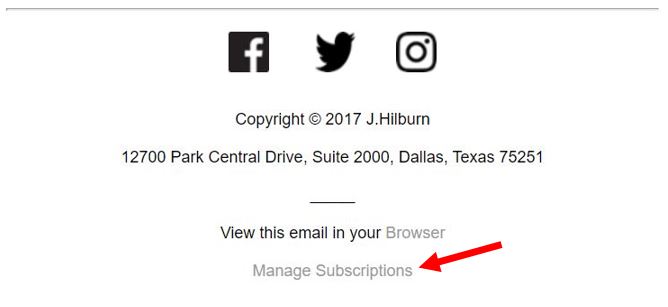
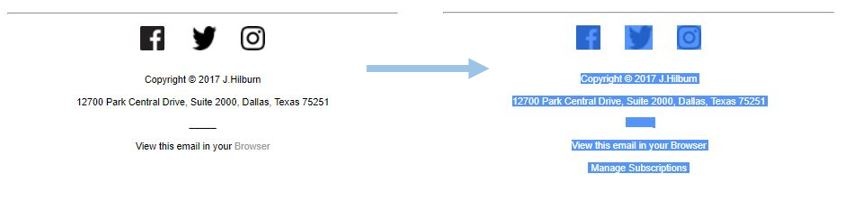
    2. Once you have opened the email, scroll down to the bottom. At the bottom of every Stylist Communication, you have the option to manage your subscription settings. Click the “Manage Subscriptions” link.


    (more…)

  • FAQs | Gift Cards

    Gift Cards are a great way for your Clients’ family to give him the gift of style or for your Client to refer you to a New Client.

    Learn answers to the top questions about gift cards.

    (more…)