This Green Room Reference Guide will show you the best way to see all the CLIENTS THAT PURCHASED FROM YOU IN THE SPRING 2021 SEASON.
There are many ways you can see which clients purchased from you in a specific period, BUT we have chosen the fastest and most efficient way to see CLIENTS THAT PURCHASED FROM YOU IN THE SPRING 2021 SEASON.
Please follow the steps below find and access CLIENTS THAT PURCHASED FROM YOU IN THE SPRING 2021 SEASON.
This example will define the SPRING 2021 SELLING SEASON From 01/01/2021 To 07/01/2021.
Let’s dig in…
1. Login to your Green Room and click My Team > Volume Reports.
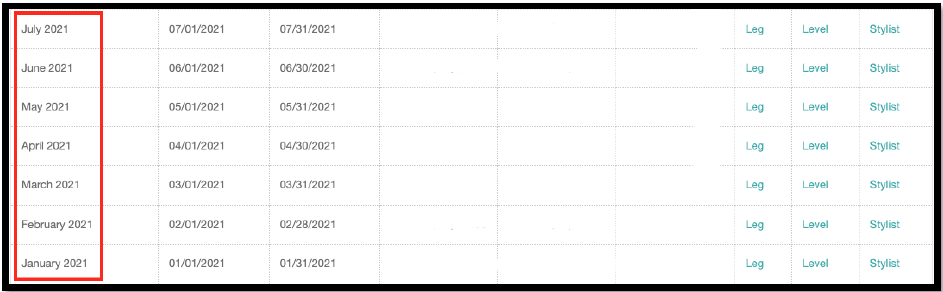
2. Find Jan 2021 – July 2021. This segment of clients we are focusing on for the Spring 2021 season.
3. You will need to Click >Total PV-Q for each month Jan 2021 – July 2021 to collect all the information you want regarding CLIENTS THAT PURCHASED FROM YOU IN THE SPRING 2021 SEASON.
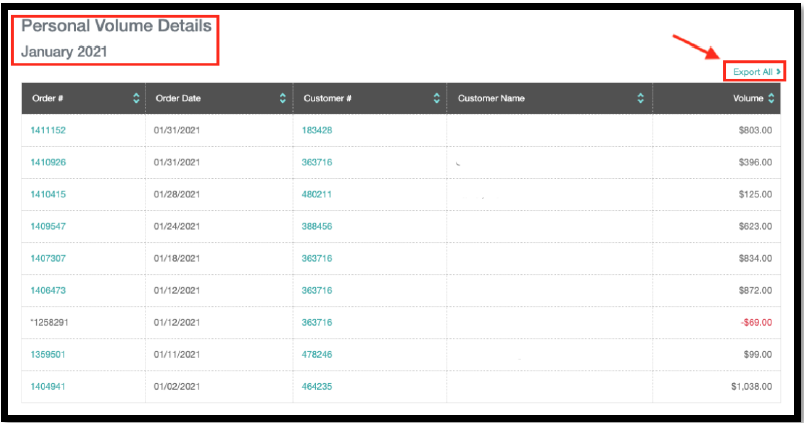
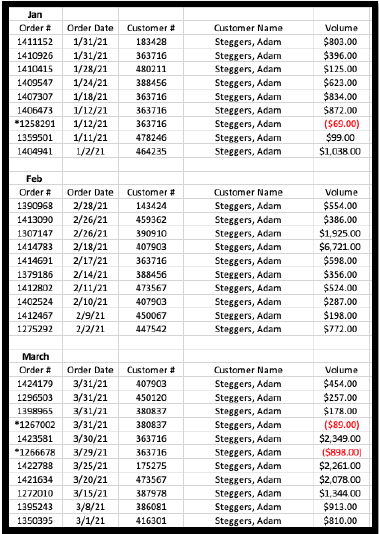
4. Month by month Jan 2021 – July 2021, either copy the client information from each page or click “Export All.” We recommend clicking “Export All” as you can build your own outreach spreadsheet for all the CLIENTS THAT PURCHASED FROM YOU IN THE SPRING 2021 SEASON.
This Virtual Assistant Reference Guide will show you how to create a List Builder list of clients that LAST PURCHASED DURING THE SPRING 2021 SEASON. We also show you another way to see CLIENTS THAT LAST PURCHASED DURING THE SPRING 2021 SEASON by sorting your client list.
Please follow the steps below to create a list of your list of CLIENTS THAT LAST PURCHASED DURING THE SPRING 2021 SEASON. Let’s dig in…
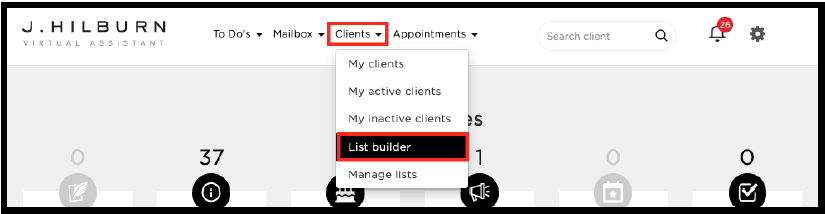
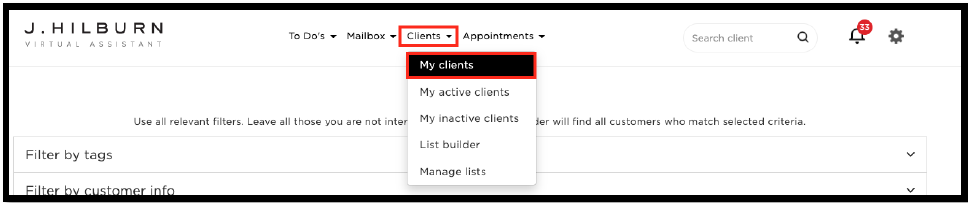
1. Follow the image above and click Clients > List Builder.
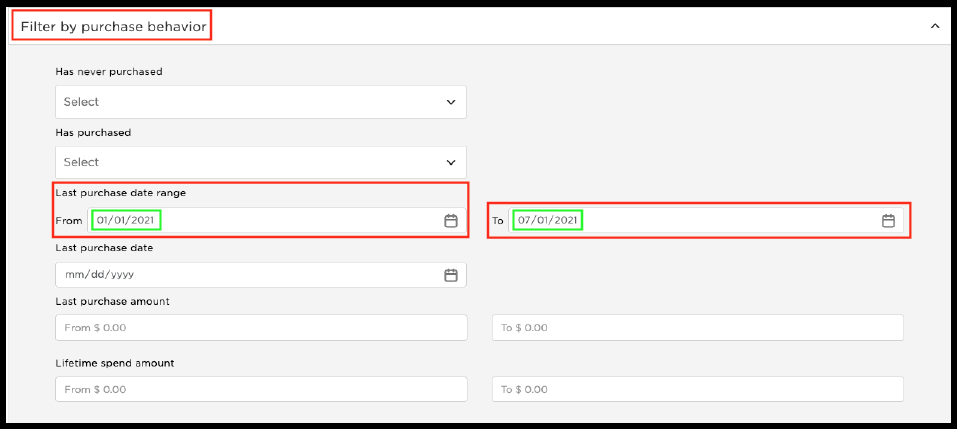
2. Click the drop-down > Filter by purchase behavior
A. You then look for the section that says, “Last purchase date range.”
B. Once you find the “Last purchase date range,” you can select a LAST PURCHASE date range for the last dates your clients have purchased from you in the Spring season of 2021. We recommend you pick a broad date range. In ourexample, we used From 01/01/2021 To 07/01/2021 for targeted results.
3. To finalize your list, select the method of how you would like to sort your list.
Pro Tip: Sort your list to have the highest potential buyers at the top. In most cases, you will use this list as your client outreach list, in order, top to bottom. What data is more important for you? See below.
4. Select your “Sort by” option by clicking on the left and right column drop-down selections. You can see these selections pictured below.
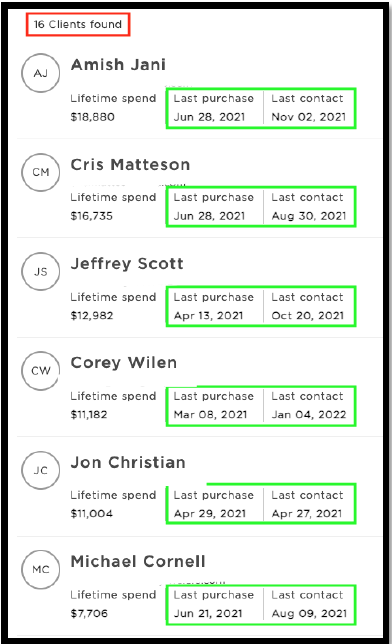
5. You are now done and ready to view your list and begin your client outreach to high potential buyers from the Spring 2021 season. After you select your sort by method, click “Confirm and Search.” Remember, you can use the Virtual Assistant (call, email, text), Style Boards, etc., in reaching out to your clients.
6. Review your list and make sure you are happy with the client data and how it is presented, i.e., sort by.
7. Try it for yourself and create your list of targeted Clients that LAST PURCHASED FROM YOU IN THE SPRING 2021 SEASON. After reviewing your list, don’t forget to Save Your List and Name Your List to access whenever you would like.
Let’s now shift gears and use the Virtual Assistant to see a less targeted list of Clients who LAST PURCHASED FROM YOU IN SPRING 2021.
1. Start fresh and go to the top of your Virtual Assistant page and click > Clients > My Clients.
2. You now have full access to your entire client base. Again, this is a broader list of your Spring 2021 Clients.
3. You will see at the top of the page several drop down’s just like you have in the List Builder section. Click > Sort by > Last Order > Most Recent.
4. Once you have made the selections above, click “Confirm and search.”
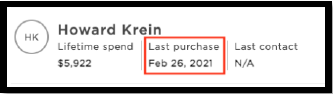
5. Remember, this is a list of all your clients sorted by “Last Order” in order of “Most Recent” order dates—scroll and page through to find a client with a purchase date in January or February 2021. You can now work with this client and outreach to all the clients who last purchased in the Spring season of 2021.