

Author: admin

  • Conference 2019 | Thursday General Session

    We officially began the EVOLUTION with day one of General Session kicking off. Highlights included an vision setting J.Hilburn opening, a breathtaking fashion show, and an after-party to remember for years to come! Follow along our General Session agenda below to relive (or experience) THE BIGGEST EVENT OF THE YEAR!

    Pro Tip: All the videos below are available on your PURL, making it even easier to share our amazing brand with Potential Stylists and Clients.  

    Opening Conference Keynote | Dave DeFeo

    Building of a Lifestyle Brand | Casey Shilling

    Sustainability Journey | Joe Dixon & Special Guest

    Stylist Celebration | Conference 2019

    Coming Soon

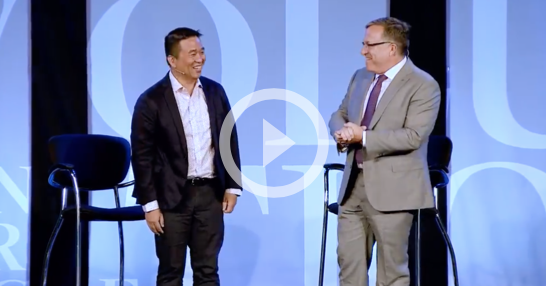
    Fireside Chat with TAL | Joe Dixon & Robert Lee

    Snapshots from Thursday

    *You can download any of these images via the Dropbox link. 

    More Conference

  • The J.Hilburn Experience

    Sharing The J.Hilburn Experience just got easier! We’re excited to have partnered with a committee of Stylist to develop an exciting video tool. This tool will help you communicate what you do to potential Stylists and New Clients.

    This is an innovative approach using whiteboard animation, to help viewers absorb detailed content. We are very happy to present to you, The J.Hilburn Experience:

    Q&A:

    Q: Who is this video tool for?

    A: This video tool was made for both, New and Existing Stylists to use in marketing their J.Hilburn business. It is a great sales tool to support the digital direction of J.Hilburn.

    Q: Who should I share this video tool with?

    A: New Referrals, Existing Clients, and Potential Stylist

    1. Received a referral? Share this video tool as a part of your first communication with a new contact as an invitation for a first appointment.
    2. Asking for a referral after your appointment? Use this video tool as part of your Thank You follow-up you send within the first 48 hours after an appointment.
    3. Have a Client who loves you? Send them the video tool along with detailed information about our Give/Get Referral Program.
    4. Chatting with a Potential Stylist? Use this video tool as a way to follow up after a conversation with a Potential Stylist.

    Scripts and Tips

    Below are a few script examples for you to use when sharing this video tool:

    Contacting a new referral:

    Sample Text Message: Hi {REFERRAL}! I’m {CLIENT}’s Personal Stylist, and he suggested I share The J.Hilburn Experience with you. Check out this short video that tells a little about what I do! {Video Link} Does tomorrow {MORNING/AFTERNOON/EVENING} work best for you for a quick chat?

    Sample Email:

    Hi, {REFERRAL}!

    I’m {CLIENT’S} Personal Stylist, and he recently suggested I share what I do with you. Here’s a quick 2-minute video about how J.Hilburn is made to fit you!

    {Video Link}

    I would love to schedule some time to meet with you next week, does {Tuesday or Thursday afternoon} work best for you?

    {Closing/Signature}

    When closing DO use something like the example provided to give the person an option to choose rather than an opportunity to say no. DO NOT close with a question that can be a hard NO, i.e,. Would you like to schedule an appointment?

    Following up with a potential Stylist:

    Sample Text Message:  {POTENTIAL STYLIST}, I’m excited you want to learn more about becoming a Personal Stylist. Check out this short video, The J.Hilburn Experience (video link) that shows what I do. I’ll give you a call in a few minutes to hear what you think! 

    Sample Email

    Hi {POTENTIAL STYLIST},

    I am excited you want to learn more about becoming a Personal Stylist! I want to share a quick video with you that explains what makes being a Personal Stylist here at J.Hilburn unique. 

    {Video Link}

    I would love to schedule some time next week to chat, does {Tuesday or Thursday afternoon} work best for you?

    {Closing/Signature}

    Asking for referrals after a first appointment:

    Sample Text Message: Thank you {CLIENT}, it was great helping you find your fit! Now, I would love it if you spread the word. Here’s a video that explains what I do. Just send it out with my info, and there’s something in it for you too.

    Sample Email

    {CLIENT}, it was great meeting with you and helping you build your custom-made wardrobe.

    I am always looking to grow my business, and your help would be great! Below is a link to a short video that tells more about what I do, you can simply share this with a friend, along with my contact information below and I can take care of the rest! 

    We have a great referral program that gives your friend a discount on his first purchase, and you will get J.Hilburn Credit to use on anything you like.

    {Closing/Signature}

    Sample Social Media Post

    Want to know more about what I do as a Personal Stylist? Check out The J.Hilburn Experience video!

    Because one size doesn’t fit all…discover The J.Hilburn Experience.

    A better fit and great style are just a few things I bring to the table. Watch The J.Hilburn Experience to learn more.

    Want a Personal Stylist? Check out The J.Hilburn Experience 

    Put style in your back pocket with The J.Hilburn Experience!

    Suggested Hashtags:

    #TheJHilburnExperience

    #JHilburnMensCollection

    #PersonalStylist

    #CustomMensWear

    #CustomMadeClothing

    #StylingMenofJH

    #WhatsYourFit

    #DiscoverTheDifference

    Here are links to use in sharing/viewing the video tool:
  • Tech Tuesday | Stylist Locator

    Let’s #TalkTech

    Stylists, you heard it at Basecamp, you read about it in the RECAP… let’s dive deeper into the Stylist Locator and how it works. 

    Stylist Locator Overview:

    When you type in a zip code, it shows Stylists near you. However, if there’s a Studio in the area, that will be the first search result.  Like this: 

    What qualifies you to be a result in the Stylist Locator? 

    1. TTM $3k+
    2. A profile picture that is at least 150px x 150px that shows your face
      • NOTE: Chris Hite is a great example of a profile photo. You can clearly see his face!

    Now that you understand what qualifies you for the Stylist Locator, you’re probably curious to how results are populated. 

    How are results sorted?

    1. Distance to center of zip code

    • NOTE: You can add a secondary zip code. Navigate to My Account in the upper right hand side of your Greenroom. This is where the Stylist Card information lives:

    2. TTM highest to lowest

    Added Features:

    • Designers Circle badge
      • This lets a Potential Client know if you’ve earned the privilege of being in the current Designers Circle.
    • Million Dollar Club badge
      • This badge will let a Potential Client know if you are a part of our Million Dollar Club.
    • Social Media
      • When a Client clicks on your Stylist Card to learn more, they can check out your Social Media handles. Stylist Cameron Gatt has all of hers accessible here: 

    *NOTE: This information is located in the same spot as the Secondary zip code.

    Here’s your Role: 

    • It is very important that you are responsive to inquiries!
    • Confirm you have an updated billing address and Profile Photo, so you will show in the search results! 

    A Potential Client Chose You:

    You will receive an email when a Potential Client completes the form and submits it.

    Here is what the form looks like: 


    Once the Potential Client hits submit, you will receive an email:

    From: JHilburn.com <noreply@jhilburn.com>

    Subject Line: Lead from JHilburn.com

    Here’s what it will look like: 


  • How to: Edit About Me

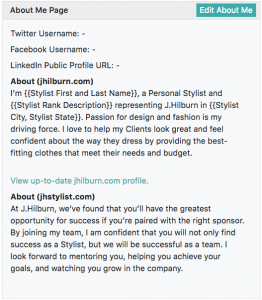
    The Stylist About Me page on your jhilburn.com PURL was updated as of 5/22/18.

    FirstNameLastName.jhilburn.com/aboutme/YourStylistID


    ABOUT ME PARAGRAPH

    The page contains a paragraph that you can edit in the Green Room mixed with static paragraphs that you cannot edit that explain the J.Hilburn Stylist Experience. 

    The first paragraph you can edit by going to:

    Green Room>My Account>About Me page section

    Click “Edit About Me”. You can also add in your social media usernames which will display as icons on your About Me page.

    From here you’ll be able to edit the paragraph for your jhilburn.com About Me section and the jhstylist.com About Me section (jhstylist.com About Me was updated in Fall 2017 and is located on the Featured Stylist section of your recruiting PURL).

    We suggest tailoring your About Me to show your personality behind your business. Some ideas to include in this section:

    • Information about your previous work history and/or J.Hilburn milestones

    • Passion for J.Hilburn and why you love your business

    • The level of service you provide that sets you apart

    • A call-out for recruiting others to join J.Hilburn

    If you do not have anything written, these sections will populate with the following scripts:

    jhilburn.com

    I’m {{Stylist First and Last Name}}, a Personal Stylist and {{Stylist Rank Description}} representing J.Hilburn in {{Stylist City, Stylist State}}. Passion for design and fashion is my driving force. I love to help my Clients look great and feel confident about the way they dress by providing the best-fitting clothes that meet their needs and budget.

    jhstylist.com

    At J.Hilburn, we’ve found that you’ll have the greatest opportunity for success if you’re paired with the right mentor. By joining my team, I am confident that you will not only find success as a Stylist, but we will be successful as a team. I look forward to mentoring you, helping you achieve your goals, and watching you grow in the company.

    ACCOUNT PHOTO

    The  jhilburn.com About Me page also features a photo of you that pulls from the Green Room. In addition, this photo is used in the footer of Client Marketing Emails sent on your behalf to your Clients as well as for recognition graphics.

    If you choose to not provide a photo, the gold J.Hilburn monogram on a black background with populate in its place.

    To add or change this photo:

    Green Room>My Account>Change picture

    Click “Change Picture” to upload a photo.

    Screen Shot 2018-05-09 at 2.40.03 PM

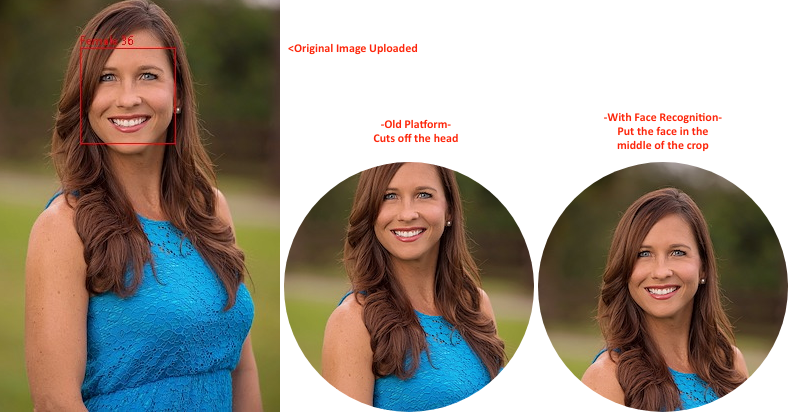
    Face Recognition Technology:

    A Face Recognition platform aids in the image display. This technology will identify a face in a photo and make sure it is cropped to the desired brand-right ratio.

    Example:

    Some tips for choosing an Account Photo:

    • Choose a recent photo
    • The best crop for a photo is from the top of your shoulders to just above your head so that your face fills the frame. We recommend a photo that is at least 480×480 pixels in size.
    • Make sure the background of the photo is free of distractions and is professional representation of you.

    Bad Account Photo Examples:

    Sunglasses

    While you may looking stylin’ in your shades, you can’t see your face!

    Blurry

    When the resolution is poor in your photo, it’s hard to see you!

    Who is that?

    Puppies and kids are super cute – but upload a photo of yourself! It’s your business afterall. This also goes for other logos or landscape photos. Keep the focus on you!
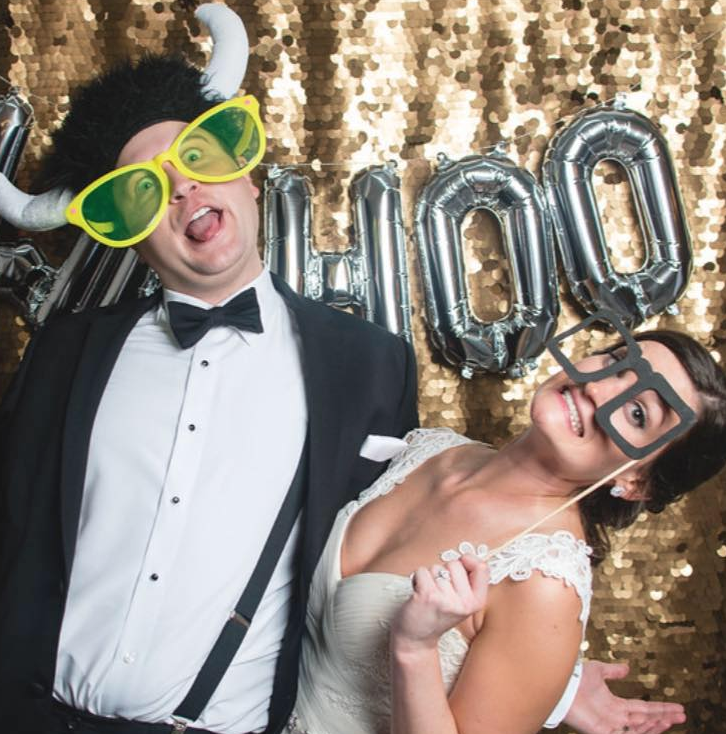
    Wacky Photo

    Your personality is one of the reasons your Clients shop with you – but make sure your picture is a professional representation of yourself.
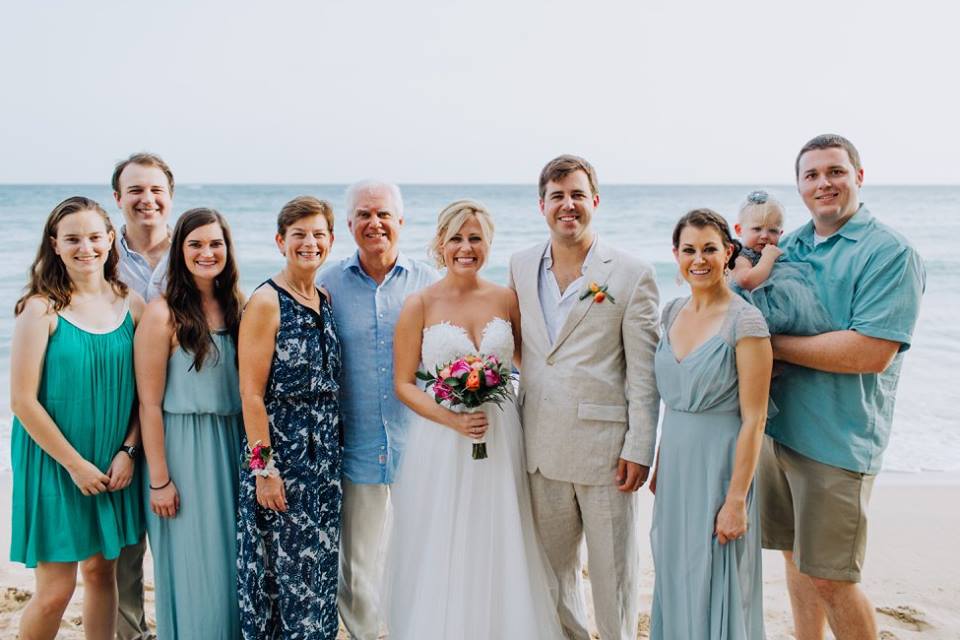
    Who’s the Stylist?

    When you upload a picture with multiple people, the face recognition software may not locate your face! Keep it to just you in the image.

    Outfit Choice

    Sleeveless tops could make for an awkward crop.
    ACCESS ABOUT ME PAGE

    Audiences access your page by:

    1. Scrolling to the bottom of your PURL in the footer
    2. If they are logged into their account on your PURL, click through from their “Little Man” icon
    3. You directly send them the link:

    FirstNameLastName.jhilburn.com/aboutme/YourStylistID

    We are continuely looking for ways to incorporate this page from other access points on your PURL.

    HOW TO LEVERAGE THE ABOUT ME PAGE

    Post the link on your social media to drive up conversations and business. 

    Use this page as a follow-up to meeting a Potential Client in person – allowing him to learn more about you and the J.Hilburn Stylist Experience.

    Share it as a virtual business card.

  • How to: Use Invitations

    A new tool has been added to your Green Room that allows you to easily download personalized, brand-approved invitations for Client and team events.

    Images featured in this tool are Essentials, Golf, and Formal Wear. We will monitor the usage of this tool, and, if demand is high, we will add more images in the future. If you have suggestions on what images to add or how to make this tool better, please use the Feedback Button in the upper right-hand corner of the Green Room.

    (more…)